
Video Tutorials
Here you will find all the tutorials you need to get familiar with NiceLabel software, from installation and registration to designing the first label and mastering advanced options. Please note: The user interface in the tutorials may differ slightly to the version you are using. Whether you're using NiceLabel V5 or V6, the tutorials will apply to your application, though your version may offer additional features.
Video tutorials are English only.
Quick links
- Installation, Upgrade and Activation
- Learn Label Design
- Connect to a Database
- Build printing applications with PowerForms
- NEW: Automation products
Installation, Upgrade and Activation
Learn step-by-step how to install NiceLabel software on your computer:
- See what options are available during the installation process
- See how to activate the software at the end of installation
- See how to upgrade your NiceLabel installation from previous version
Get to know Nicelabel Designer Express
Explore basic label design and excel database connectivity with NiceLabel Designer Express. This video will demonstrate most commonly used features:
- Text objects
- Basic bar code objects
- Excel database connectivity
- Easy to use Wizzards
Getting started with Nicelabel Pro
Design your first label in one minute with Nicelabel Design Pro. See how:
- Set up label properties using Wizard
- Add objects to your label using the toolbar
- Use one of the 70+ barcode symbologies
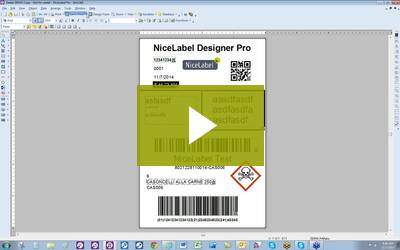
Learn Label Design
NiceLabel Pro serves as the main label design application for printing labels. This video will show you how to create a label template for your custom application. You will learn how to:
- Develop labels on your own with text fields
- Insert database conncetions
- Use barcodes, graphics and more
Code 128 Barcode Creation in NiceLabel
This video will demonstrate Code 128 creation in NiceLabel and provide information about:
- History of Barcode 128
- Usage of Barcode 128
- NiceLabel advanced functionality
How to connect to a database
Learn step-by-step how to link to databases in NiceLabel Pro software. You will see how to:
- Use Database Wizard to connect databases
- Set database fields onto the label as bar codes and text fields
Nicelabel Pro Variables
In indepth introduction to variables in NiceLabel Pro. Video will walk you through:
- How to make a database connection
- How to concatenate
- How to use keyboard input variables, date field and more
Build printing application with PowerForms
PowerForms builds applications faster than traditional programming methods. NiceLabel helps reduce application development costs and time to deployment. Video introduces PowerForms advantages:
- Easy drag-and-drop operation lets you build robust applications without coding errors.
- Allow non-programmers to build applications
- Design your printing applications just like you design your labels
- Create label printing, database management and data collection applications
NiceLabel Automation general overview
Business systems typically have little or no support for label printers. They require you to hard-code labels in a printer command language or use a font to represent a barcode. These approaches are complicated, limited in functionality and expensive to maintain.
Learn how NiceLabel Automation provides a centralized label printing environment that easily integrates with business critical systems, without customization.
Automation Builder Overview
Business systems typically have little or no support for label printers. They require you to hard-code labels in a printer command language or use a font to represent a barcode. These approaches are complicated, limited in functionality and expensive to maintain.
Learn how NiceLabel Automation provides a centralized label printing environment that easily integrates with business critical systems, without customization.
Automation Manager Overview
Business systems typically have little or no support for label printers. They require you to hard-code labels in a printer command language or use a font to represent a barcode. These approaches are complicated, limited in functionality and expensive to maintain.
Learn how NiceLabel Automation provides a centralized label printing environment that easily integrates with business critical systems, without customization.
Please note! To be able to see the tutorials you need to have Adobe Flash player installed on your computer. If player is not already integrated in your internet browser, please visit Adobe website and download it for free.
